Discord Bot · Steam PC · Free to Use

PUBG Chicken Dinner Bot

Win Posters · Rankings · Match Reports · Streamer Clips

The most feature-complete PUBG tracking bot for Discord. Auto-posts win posters, nightly clan rankings, match reports, and streamer clip notifications — fully automated, zero effort.

Steam PC
Platform
FPP + TPP
Both Modes
Free
Always Free
Add to Discord See Features

🏆Win Posters

Every chicken dinner gets celebrated automatically. The bot detects the win, generates a custom poster image with map, mode, team kills, damage, and individual player stats — and posts it to your configured channel within seconds.

Role awards call out your MVP, Medic, Sharpshooter, and Marksman every game.
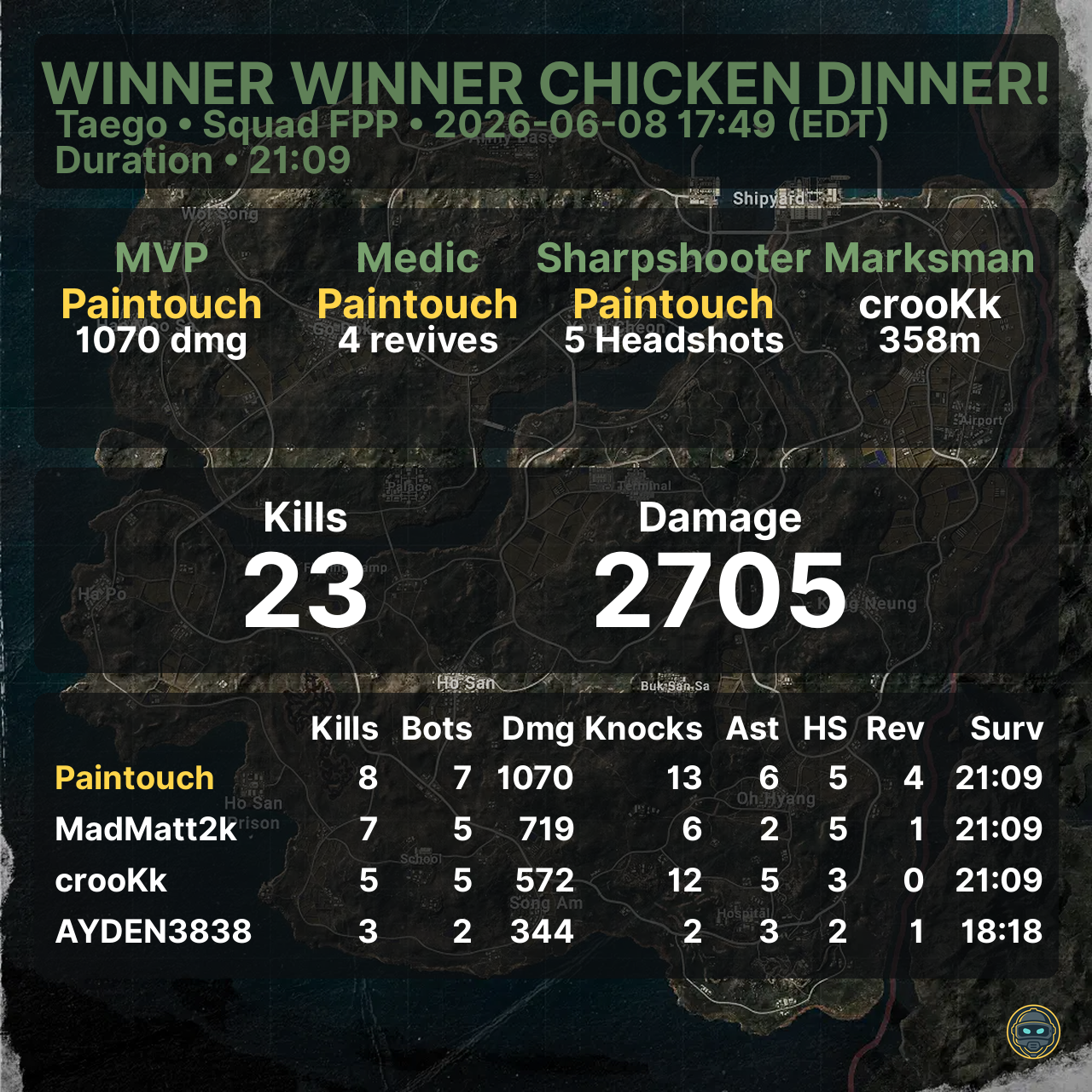
Auto-post Role Awards Squad Stats Per-player ignore
Win Poster example

📈Clan Rankings

Nightly leaderboard images posted at 03:00 server time. Players are scored across ADR, K/D, Avg Placement, Assists/Match, Revives/Match, HS%, and Longest Kill. Minimum 40 qualifying rounds to rank.

Each server independently chooses Squad FPP or Squad TPP as its ranking perspective. Switch anytime with a single command.
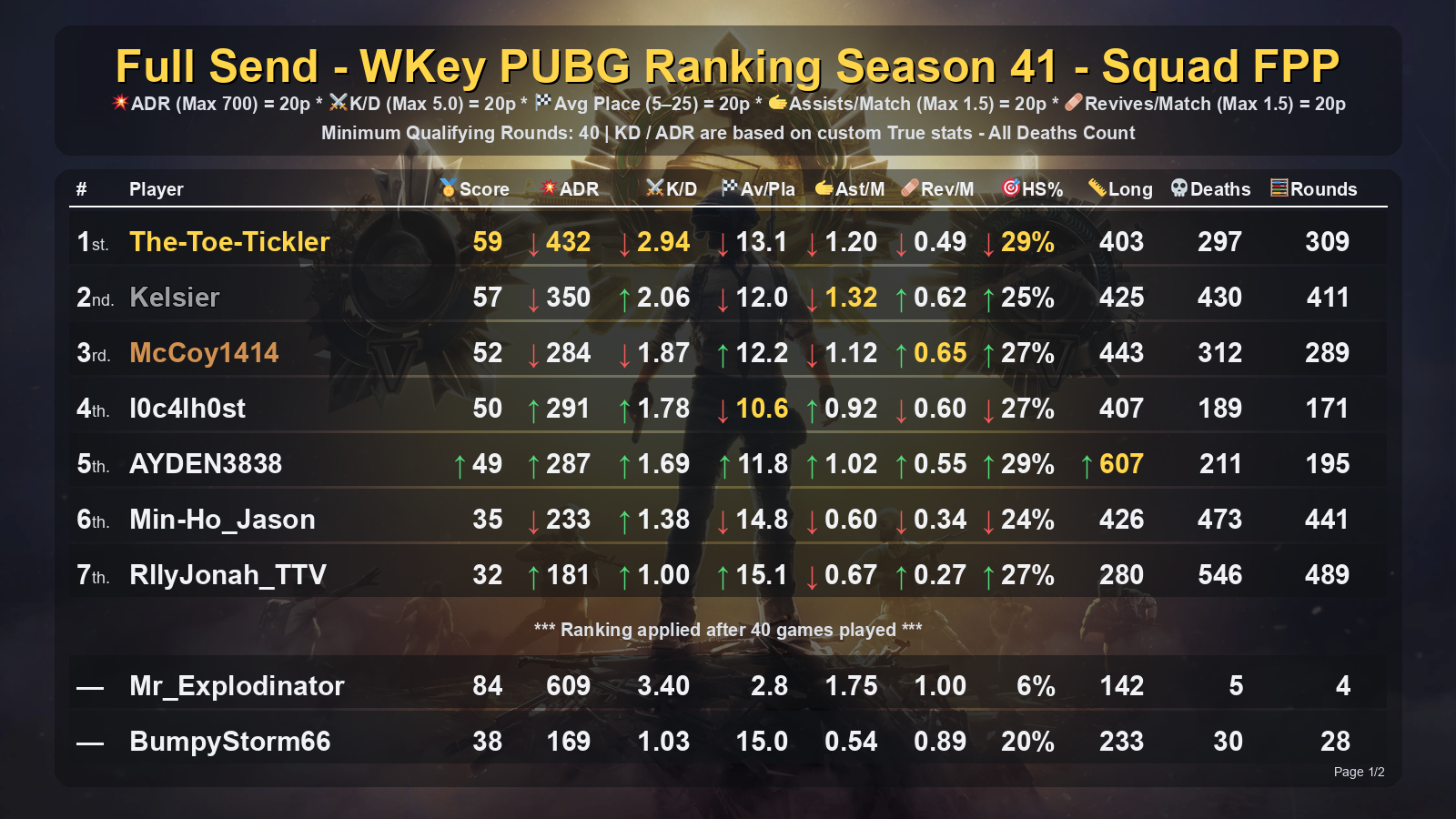
FPP & TPP True KD/ADR On-demand postnow Per-player hide
Clan Ranking example

📊Stat Cards

Pull a polished current-season stat card for any tracked PUBG Steam player on demand. Shows Solo, Duo, and Squad stats — including True KD and True ADR calculated from raw match telemetry, excluding bots and friendly fire.

A full score breakdown explains exactly how the player's ranking score is calculated — no black boxes.
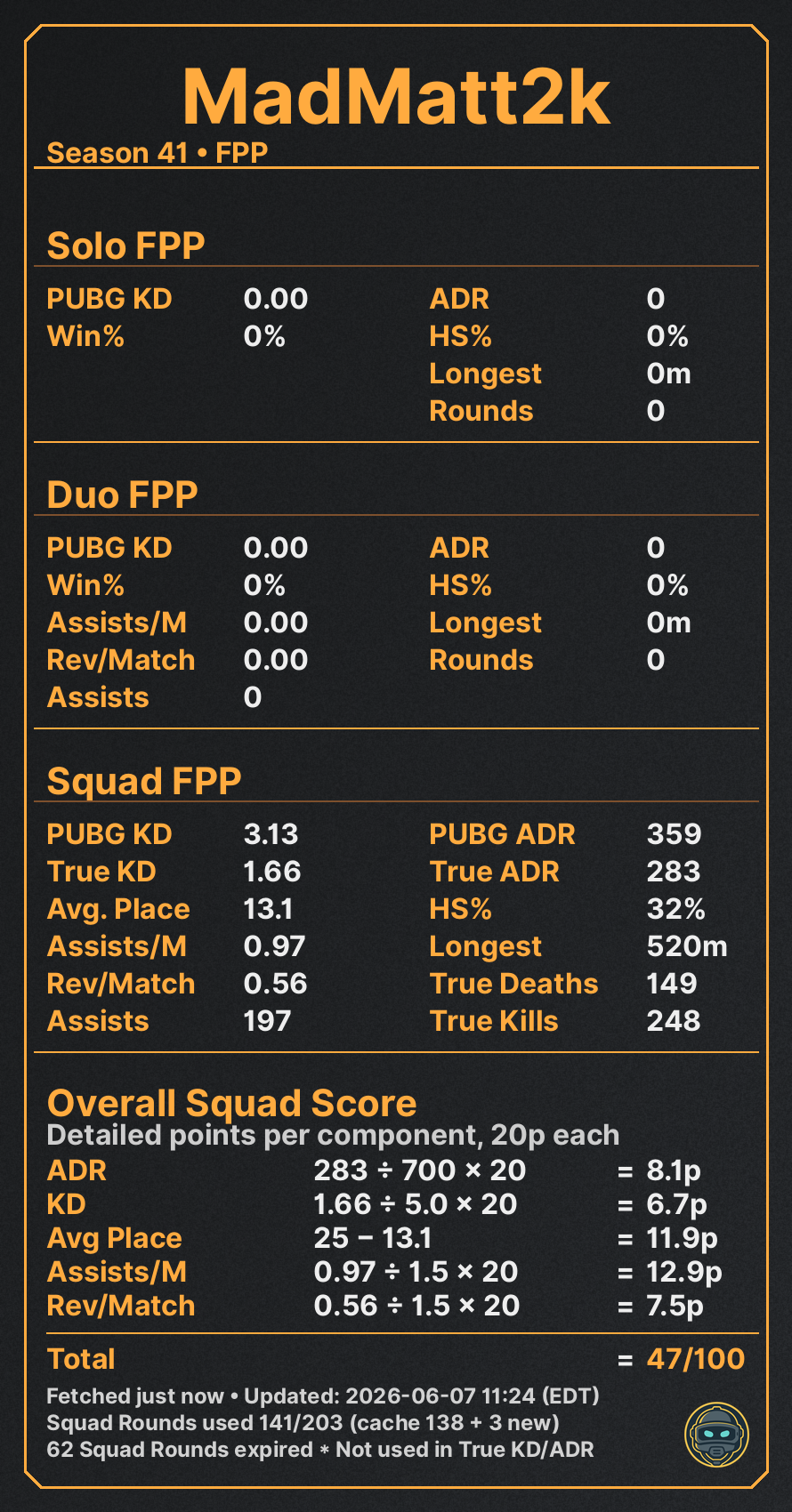
True KD True ADR Score Breakdown FPP & TPP
Stat Card example

📋Match Reports

Detailed match reports posted automatically after every game. A team summary card shows map, placement, True Kills, True Damage, and role awards. A per-player breakdown lists every damage event, knock, kill, weapon, and range — including exactly how each player was eliminated.
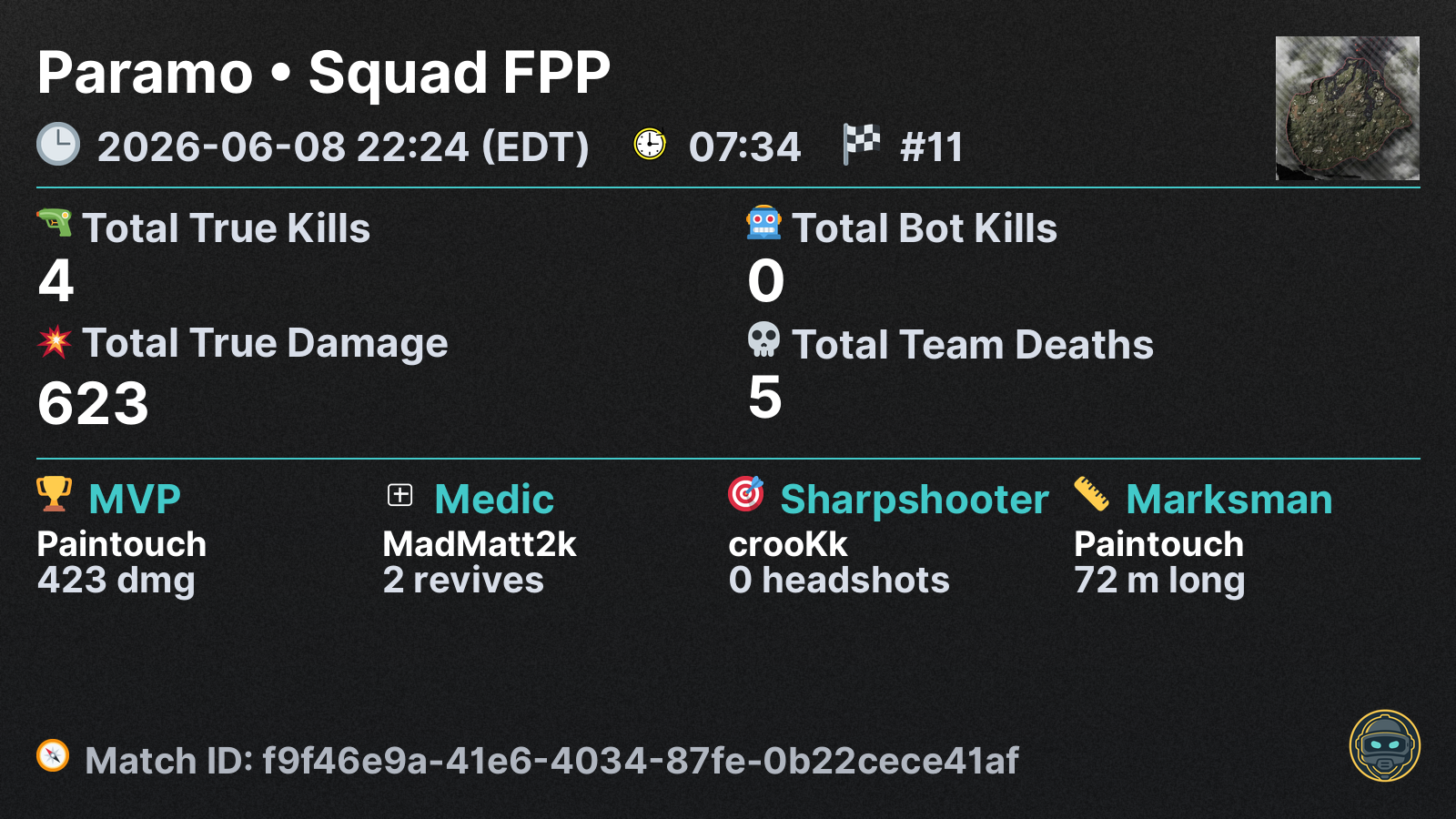
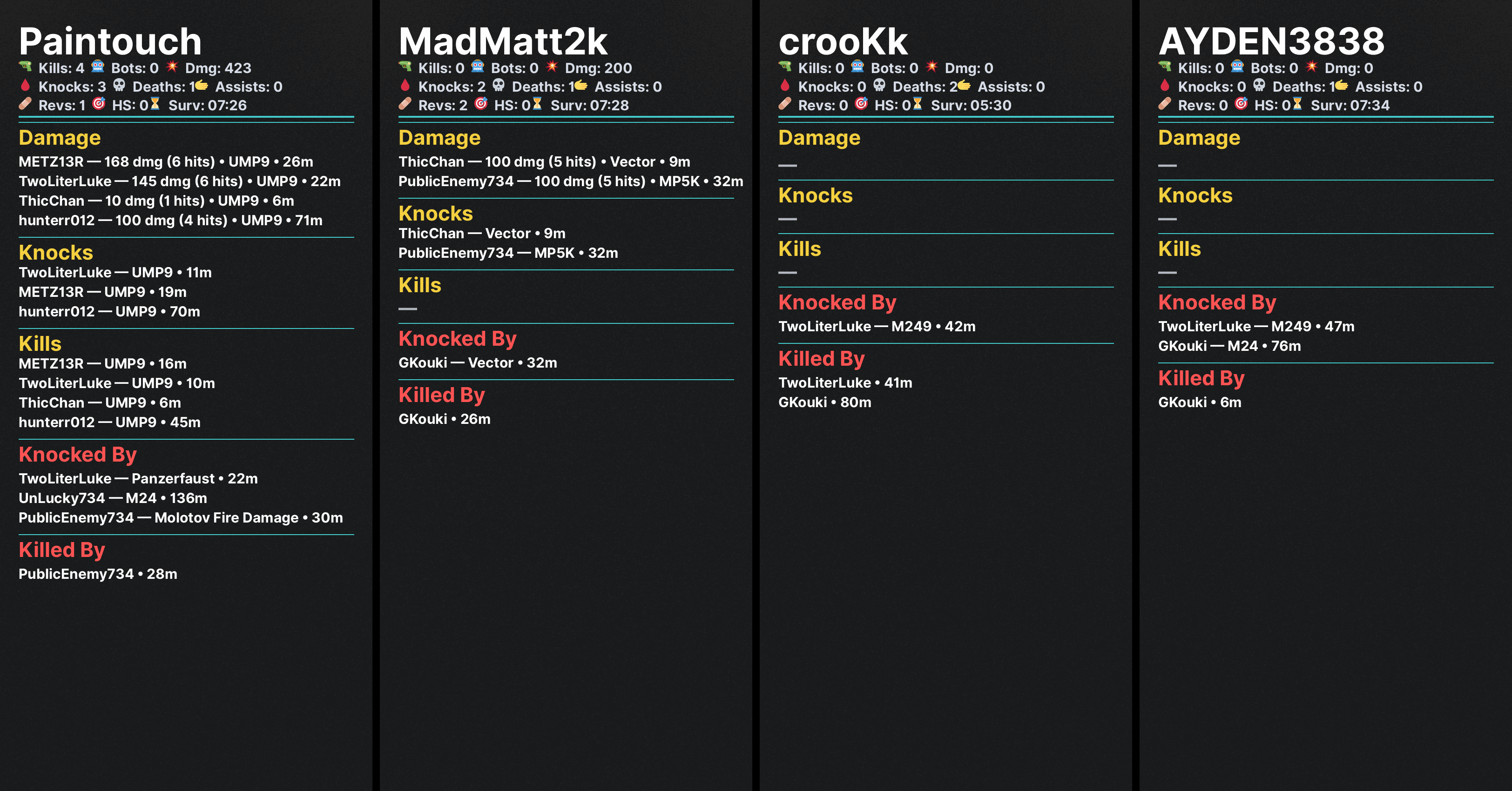
Team Summary Per-player Detail Weapon + Range Kill Feed
Last Match Team Summary
Team Summary
Last Match Player Breakdown
Player Breakdown

🎬Streamer Clip Tracking

Monitors pubg.report and automatically posts a clip notification whenever a tracked player eliminates a streamer. Each post includes killer, victim, map, and a direct link to the clip. Links the tracked player's Discord account for an @ mention ping.
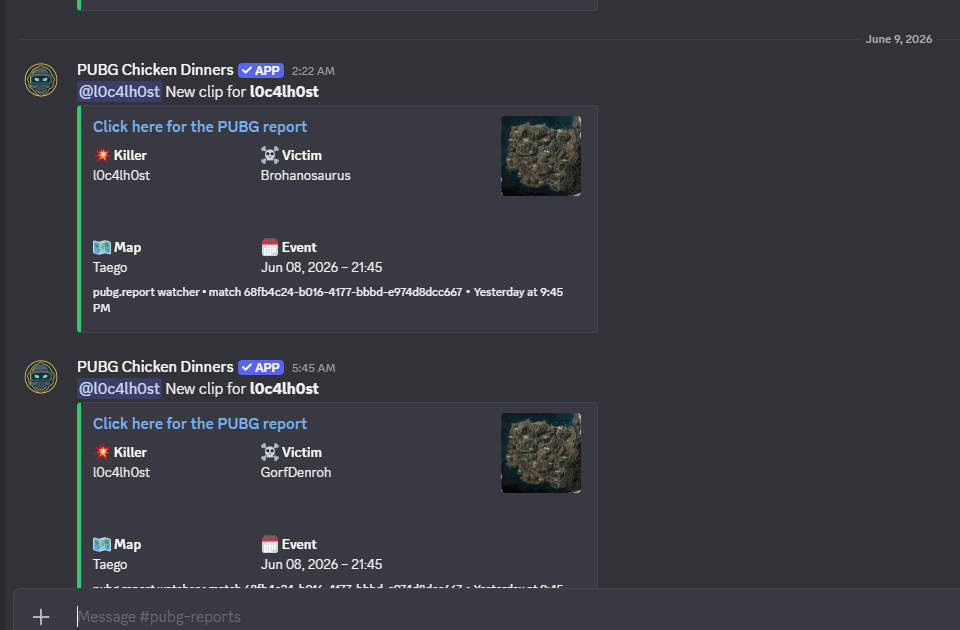
pubg.report integration Discord @ pings Per-player ignore
PUBG Report Clips example

🗺️Drop Survival Heatmap

Visualize a tracked player's landing spots across all their games on a given map. Each POI shows Phase-1 survival rate and total drop count — instantly revealing where they perform best and where they struggle.

A companion /endzone command maps where the Phase-5 safe zone tends to land per map.
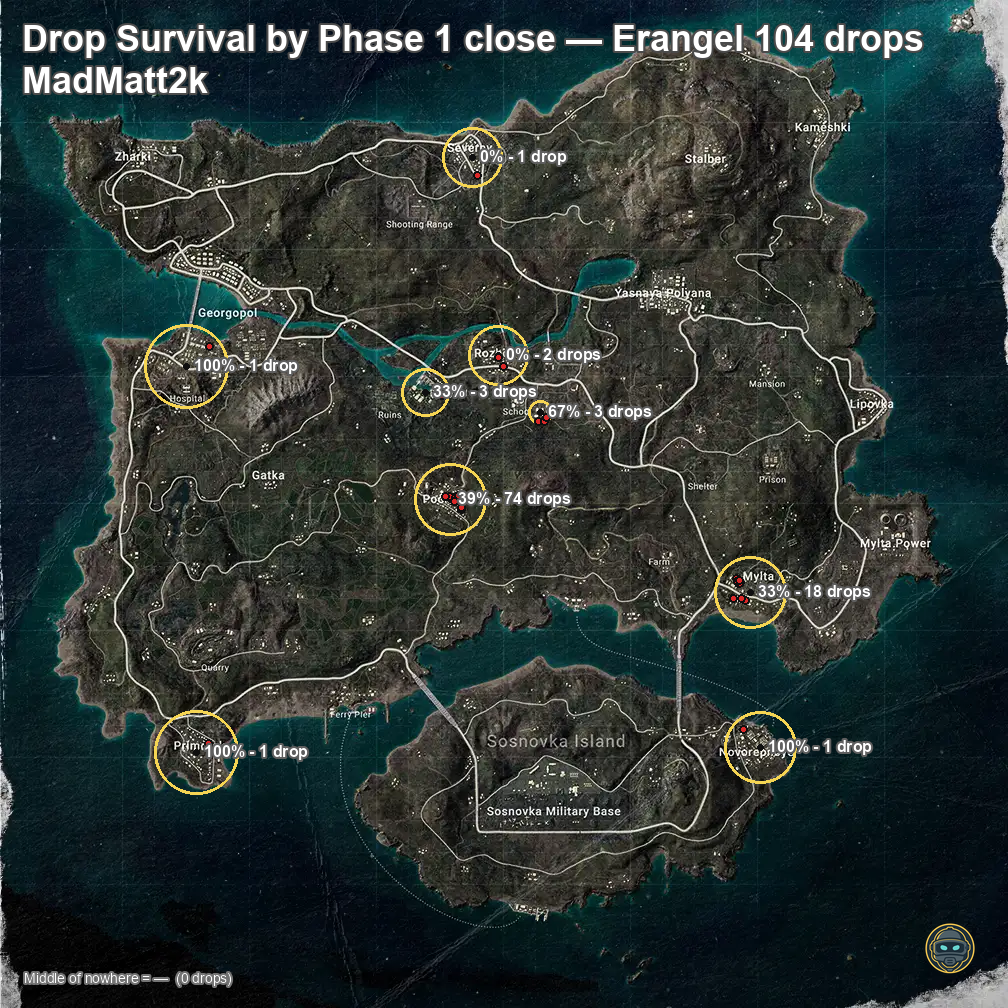
Per-map Phase-1 Survival % Drop Count All POIs
Drop Survival Heatmap example

🔀 Full FPP & TPP Support

The bot tracks both perspectives simultaneously for every player — no re-tracking needed. Each server independently chooses Squad FPP or Squad TPP as its ranking mode. Rankings, stat cards, and comparisons all reflect that choice. Switch your server's mode anytime with /auto-clan-rankingsetmode.


Reference

Commands

All commands are slash commands. Run /help in Discord for a full list with descriptions.

Category Commands
Stats
/stats/compare/lastmatch/accountinfo
Heatmaps
/dropsurvival/endzone
Tracking
/add-user/remove-user/list-tracked-users/link-player
Rankings
/global-player-ranking/global-guild-ranking/auto-clan-ranking
Auto Win
/auto-win/auto-win-ignore-player/auto-win-enable-player
Auto Report
/auto-pubg-report/auto-pubg-report-ignore-player/auto-pubg-report-enable-player
Auto Last Match
/auto-lastmatch/auto-lastmatch-ignore-player/auto-lastmatch-enable-player
Auto Ranking
/auto-clan-ranking-ignore-player/auto-clan-ranking-enable-player
Testing
/testwin/testreport
Admin
/set_server_timezone/change-update-channel/help